Invite your entire team to your fundraising account and assign permissions based on their responsibilities.
Whether you're working with internal staff, volunteers, consultants, or vendors, admin can configure access so every user has the tools they need while maintaining control over sensitive data and account settings.
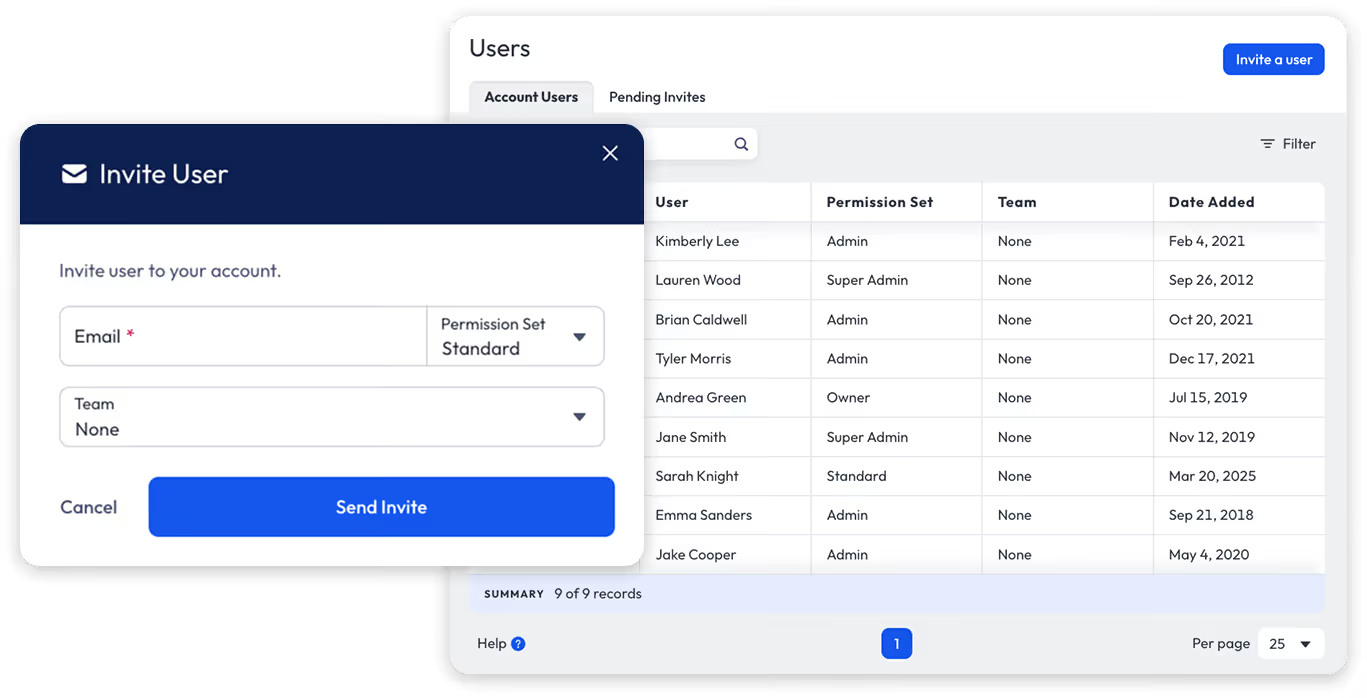

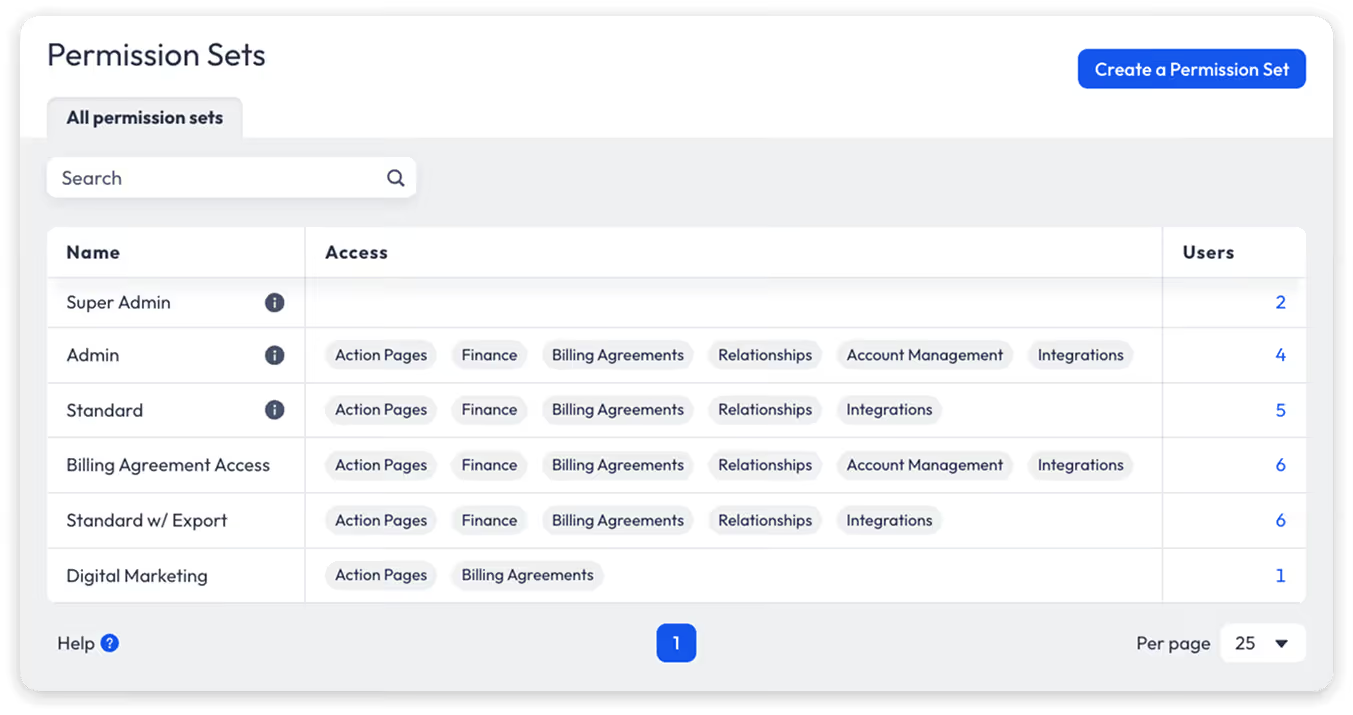
Anedot includes three built-in permission levels: Super Admin, Admin, and Standard, making it simple and secure to invite team members.
These standard roles allow administrators to quickly assign the appropriate level of access across the platform while maintaining clear control over account permissions.

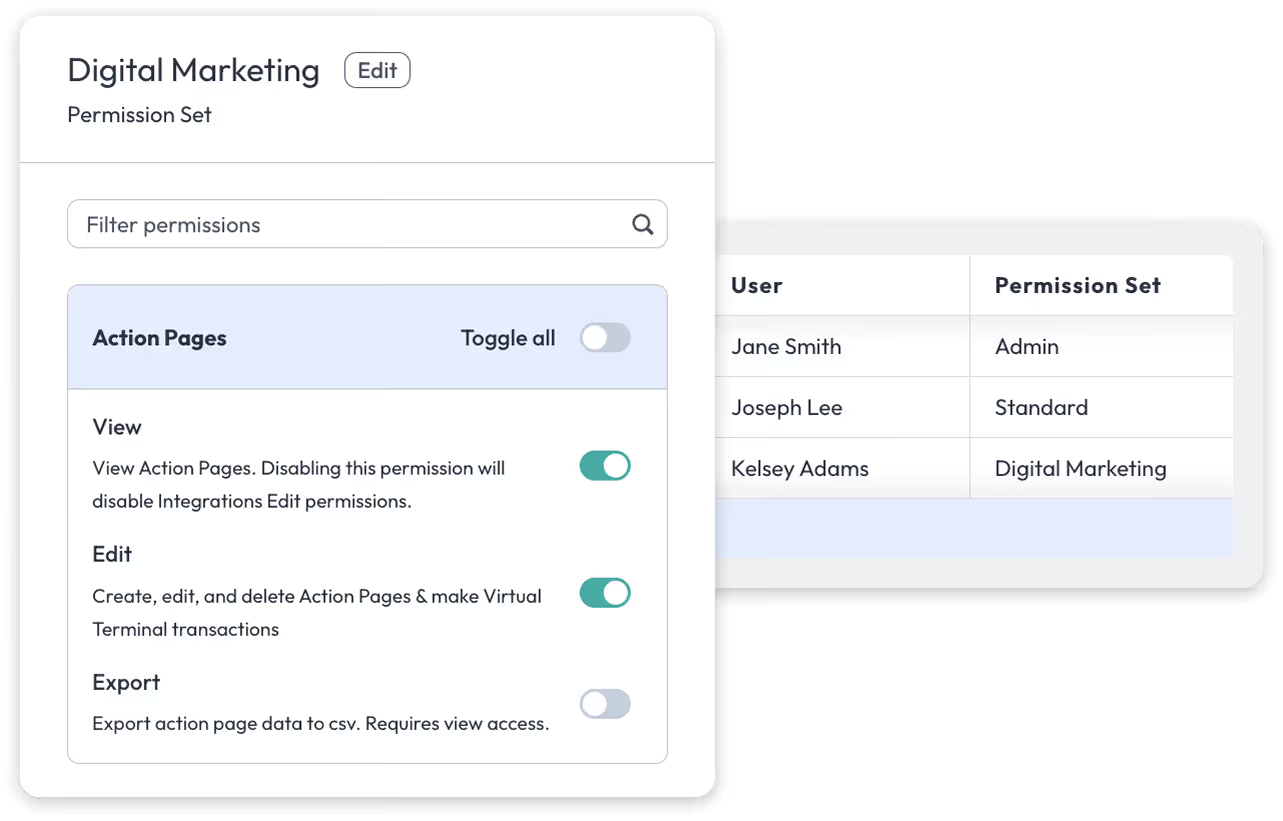
Create custom permission sets to fine-tune exactly how users interact with the platform.
Configured permissions can grant access to key areas of the platform such as Action Pages, Finance, Billing Agreements, Access Management, Account Management, and Integrations. Within each area, admin can define the level of access a user has, including viewing, editing, or exporting data.
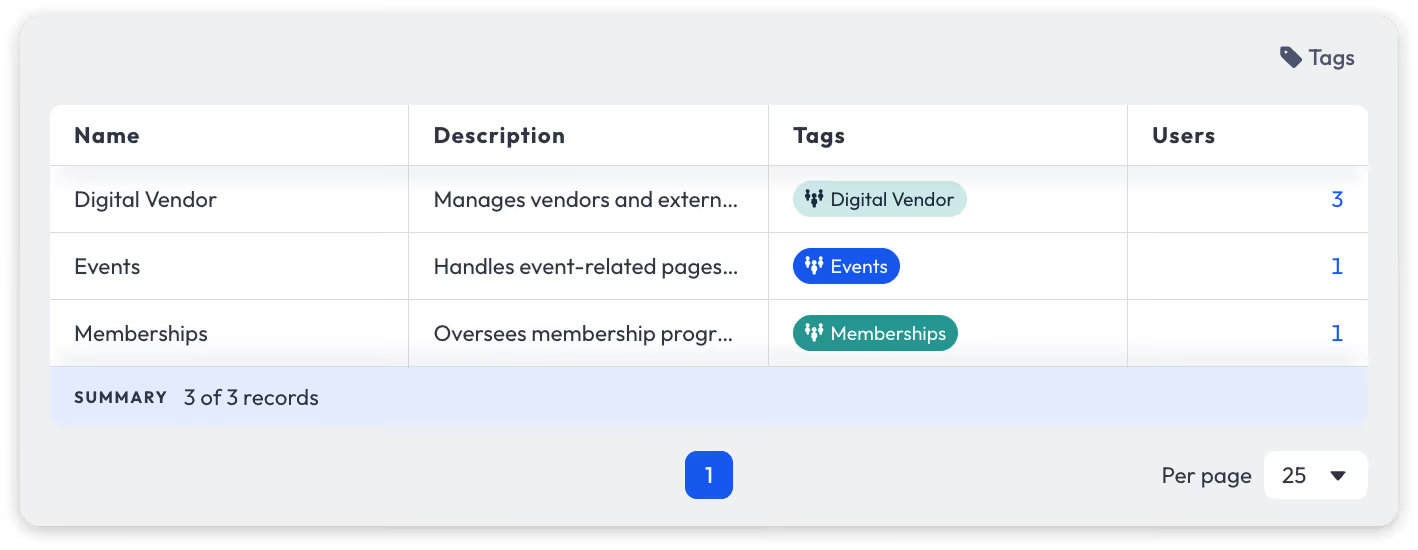
Organize users into Teams to manage Action Page–level access with greater precision across your organization.
Teams allow admin to group users by department, vendor, campaign, or initiative, making it easy to assign and manage access to the pages and data relevant to their work.
This added layer of control helps organizations collaborate confidently with internal teams and external partners while keeping fundraising initiatives organized, focused, and secure.