You can now use Amounts by Frequency in Anedot to turn more visitors into supporters and grow predictable recurring revenue.
With this update, you set different suggested donation amounts for one-time and recurring gifts on your Action Pages, so every supporter sees the option that’s most likely to convert and upgrade their giving.
When a supporter switches between one-time and recurring, their suggested amounts automatically adjust to your settings, helping you:
- Increase average one-time gift size with strategically higher suggested amounts.
- Boost the number of recurring donors with lower, more approachable starting amounts.
- Optimize each frequency (once, weekly, monthly, etc.) based on what performs best in your campaigns.
Set suggested donation amounts for one-time and recurring gifts
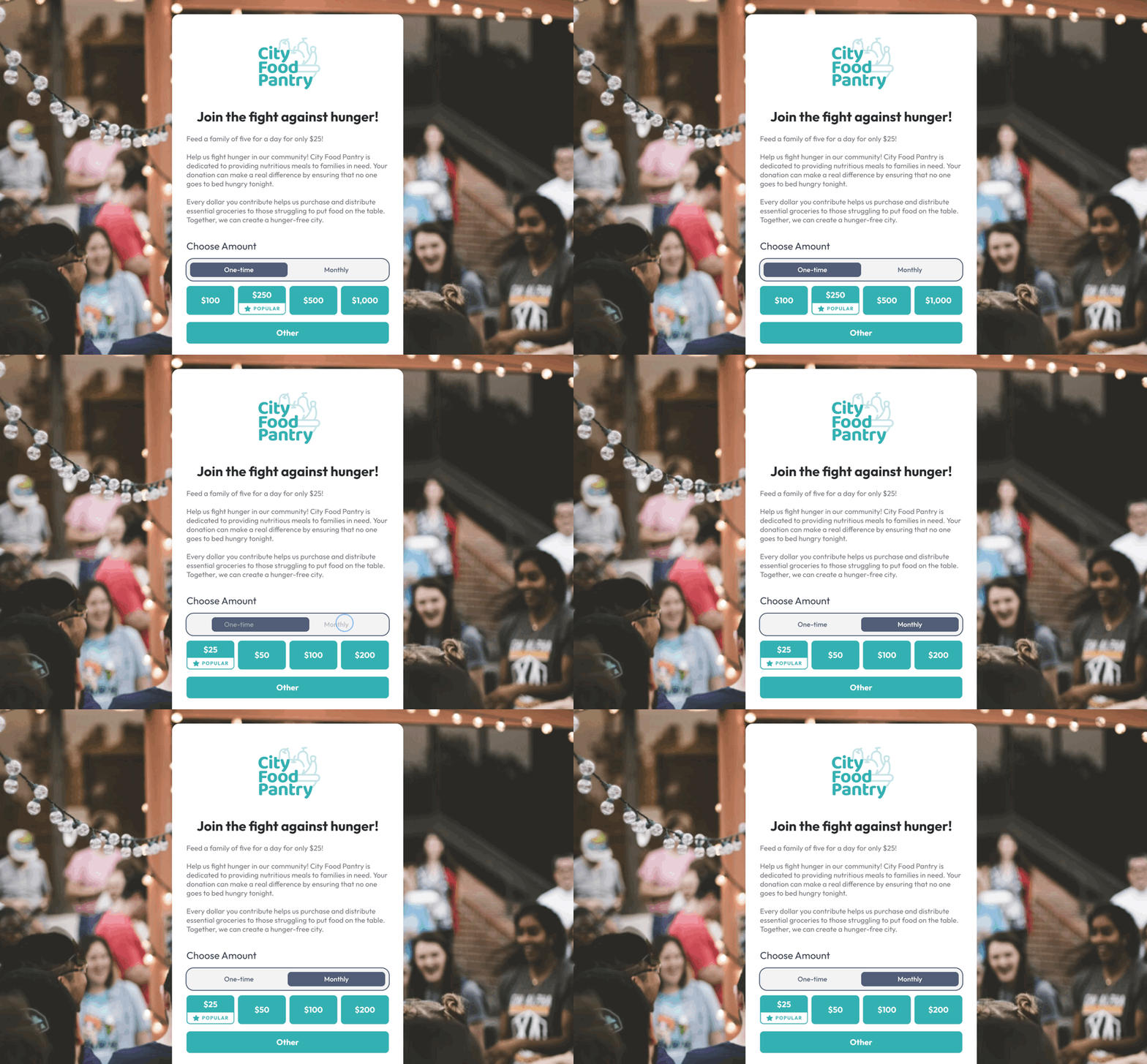
Amounts by Frequency gives you a more flexible way to set donation amounts for every giving option.
Instead of a single set of presets, you can customize suggested amounts for each frequency you offer.
That means you can present higher suggested amounts for one‑time gifts and lower, more approachable starting points for recurring gifts, all on the same form.
Supporters see the right amounts for the type of gift they’re choosing, which can create a more personalized experience and support higher conversion rates.
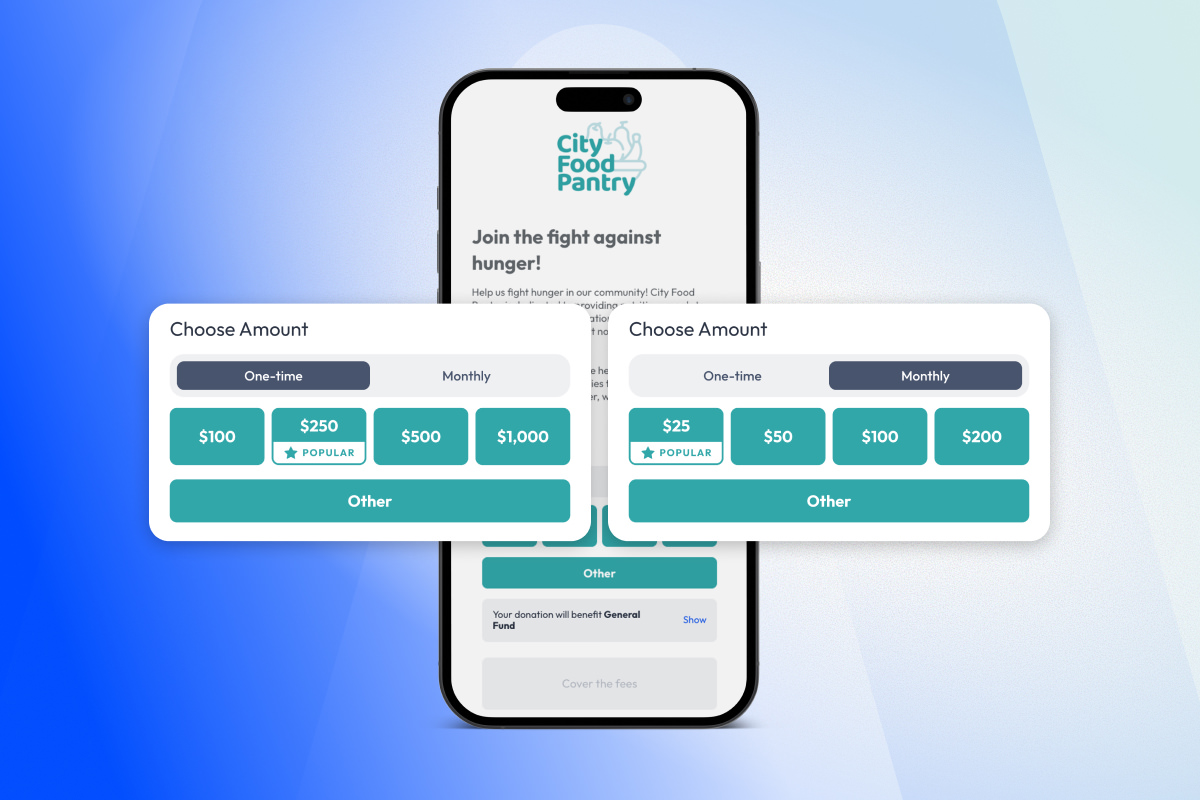
For example, you might set:
- One‑time: $100, $250, $500, $1,000
- Monthly: $25, $50, $100, $200
As supporters toggle between one‑time and monthly, the suggested amounts automatically switch to match what you’ve configured for each frequency.
How to set it up
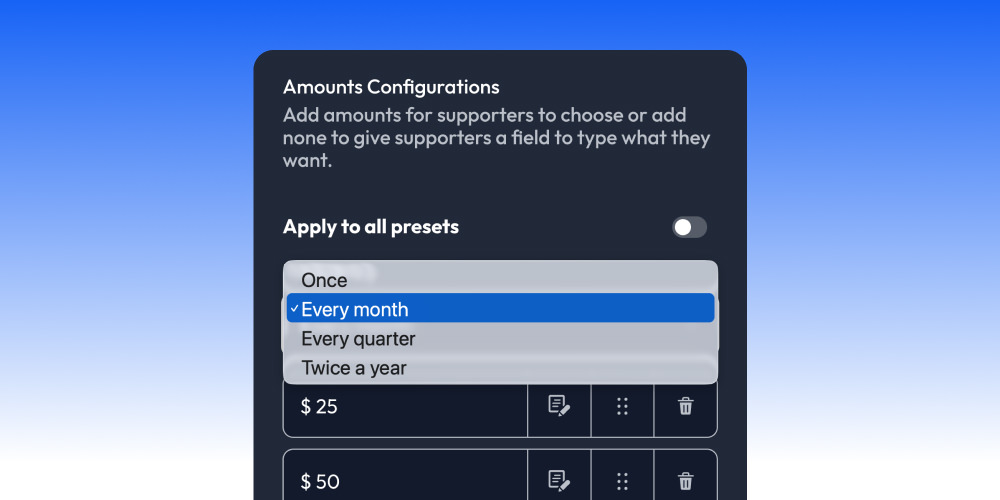
You can set up Amounts by Frequency in just a couple of minutes using the Action Page Builder.
- Access the Action Page Builder
- Go to Finance > Amounts > Amounts Configurations
- Disable the “Apply to All Presets” toggle
- Select the Frequency from the dropdown
- Customize preset amounts based on frequency
It only takes a couple of minutes to set up, and you can adjust these amounts any time.
📩 Need help or have questions? We are here to help - feel free to reach out anytime.
80 Community Service Ideas for Nonprofits